How to Withdraw Money from 3 Patti Poker — Complete Withdrawal Guide 2026
Once you have winnings in your 3 Patti Poker wallet, withdrawing them to your mobile wallet is a straightforward process. Withdrawals are sent directly to JazzCash or EasyPaisa in Pakistani Rupees with no currency conversion involved. This page covers the full withdrawal process, limits, processing times, and solutions to the most common withdrawal issues.
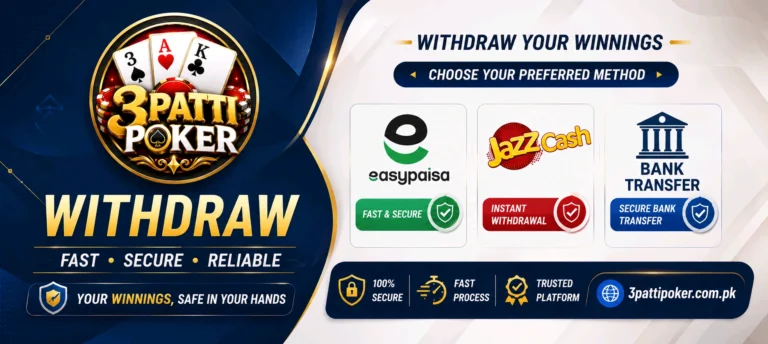
Your registered name on the app must match the name on your JazzCash or EasyPaisa account. A name mismatch is the most common reason for withdrawal delays or rejections.
Withdrawal Methods
JazzCash
Withdraw directly to your JazzCash mobile wallet. Funds are sent to the number linked to your account. Processing is typically fast and the amount appears in your JazzCash balance once approved.
EasyPaisa
Withdraw to your EasyPaisa account in the same way. The registered number on your app must be active and in good standing with EasyPaisa for the transfer to go through without issues.
Bank Transfer
Bank transfer is an optional withdrawal method available on some accounts. If enabled, funds are transferred directly to your bank account. Processing time may be longer than mobile wallet withdrawals.
Withdrawal Limits
| Limit Type | Amount |
|---|---|
| Minimum Withdrawal | PKR 500 |
| Maximum Per Transaction | PKR 50,000 |
| Currency | Pakistani Rupees (PKR) |
How to Withdraw Money from 3 Patti Poker
Follow these steps carefully to complete a withdrawal. The process is the same for both JazzCash and EasyPaisa.
Open the App and Go to Wallet
Log in to your account and tap the Wallet section from the main menu or bottom navigation. This is where your current balance and transaction options are displayed.
Tap Withdraw
On the wallet screen tap the Withdraw button. You will be taken to the withdrawal form where you can select your preferred payment method and enter the amount.
Select Your Withdrawal Method
Choose JazzCash, EasyPaisa, or bank transfer from the available options. The form will update to show the relevant fields for the method you selected.
Enter Your Wallet Number
Type the mobile number linked to your JazzCash or EasyPaisa account. This must be the same number registered under your name — withdrawals sent to a different number will not be processed.
Enter the Withdrawal Amount
Type the amount you want to withdraw. The minimum is PKR 500 and the maximum per transaction is PKR 50,000. Your available balance must cover the amount entered before the request can be submitted.
Submit the Request
Review the details — amount and wallet number — then tap Confirm or Submit. A confirmation message will appear on screen. The withdrawal enters a processing queue and funds are sent once approved.
Wait for Processing
Most withdrawals are processed within a few hours during normal business hours. You will receive a notification once the transfer is completed. Check your mobile wallet balance to confirm the amount has arrived.
Before You Submit a Withdrawal
- Check that your registered name on the app matches the name on your mobile wallet exactly — even a small difference can cause a rejection.
- Make sure your game wallet balance is sufficient to cover the withdrawal amount before submitting the request.
- Withdrawals are processed during normal business hours — requests submitted late at night or on public holidays may take longer.
- Do not submit multiple withdrawal requests for the same amount at the same time — this can cause duplicate processing issues.
- If you have not completed identity verification and are attempting a large withdrawal, the request may be held until verification is done.
- Take note of the withdrawal reference number shown after submitting — you will need it if you contact support about the transaction.
Common Withdrawal Problems and Solutions
Withdrawal Pending for Too Long
Withdrawals submitted during business hours are usually processed within a few hours. If yours has been pending for more than 24 hours, contact support through WhatsApp or Live Chat with your withdrawal reference number and the amount requested.
Withdrawal Rejected
The most common reason for rejection is a name mismatch between the app account and the mobile wallet. Verify that the name on your profile matches your JazzCash or EasyPaisa account name exactly and resubmit. If the rejection reason is different, contact support for clarification.
Wrong Wallet Number Entered
If you submitted a withdrawal to an incorrect mobile number, contact support immediately with the reference number and the correct wallet details. Act quickly — once a transfer is processed it cannot be reversed.
Withdrawal Option Not Available
If the withdraw button is greyed out or not showing, your account may not yet be eligible for withdrawals. This can happen if identity verification has not been completed or if there are pending gameplay requirements on a bonus. Check your account status in the Profile section.
Final Thoughts
Withdrawals on 3 Patti Poker work smoothly when the account details and wallet information are set up correctly from the start. The name matching requirement is the most important thing to get right — it is worth verifying once before submitting your first withdrawal to avoid any delays. Once your account is verified and your wallet number is confirmed, future withdrawals follow the same simple process every time.
If you have not yet added funds to your account, visit the Deposit page to learn how to make your first deposit.